IIS下強(qiáng)制https訪問(wèn)的設(shè)置
作者:管理員 來(lái)源:互聯(lián)網(wǎng) 發(fā)布時(shí)間:2025-09-22 09:54:59 點(diǎn)擊數(shù):0
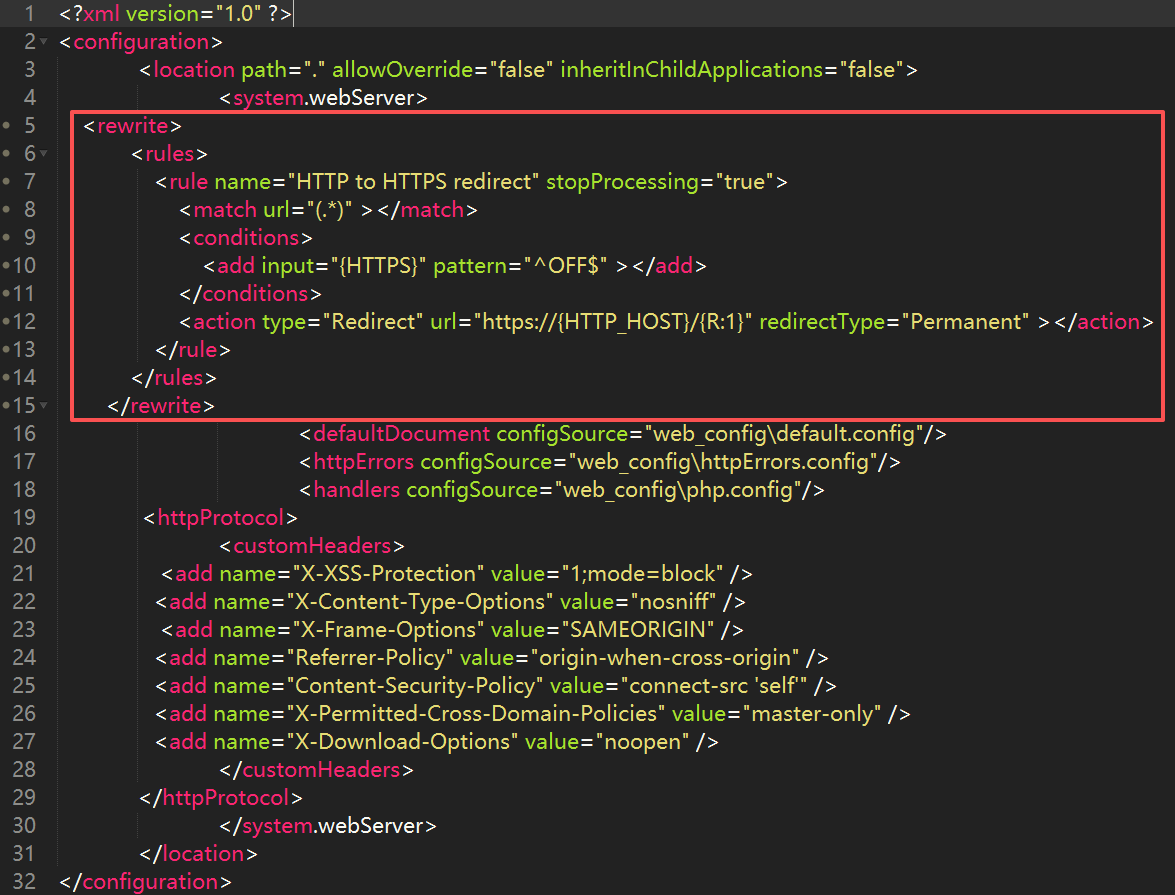
Windows操作系統(tǒng)IIS平臺(tái)下部署的網(wǎng)站強(qiáng)制https訪問(wèn)的設(shè)置:將以下代碼加在站點(diǎn)根目錄下的web.config的<system.webServer> 節(jié)點(diǎn)里即可。
<rewrite>
            <rules>
                <rule name="HTTP to HTTPS redirect" stopProcessing="true">
                    <match url="(.*)" ></match>
                    <conditions>
                        <add input="{HTTPS}" pattern="^OFF$" ></add>
                    </conditions>
                    <action type="Redirect" url="https://{HTTP_HOST}/{R:1}" redirectType="Permanent" ></action>
                </rule>
            </rules>
</rewrite>
如下圖:
上一篇:Nginx、Apache和IIS的防盜鏈設(shè)置
下一篇:用ffmpeg修改MP4文件頭信息讓視頻邊加載邊播放
相關(guān)內(nèi)容:
- 在 IIS 服務(wù)上部署 SSL 證書(shū)后訪問(wèn)資源出現(xiàn)404錯(cuò)誤
- 網(wǎng)站安全:IIS基于并發(fā)請(qǐng)求數(shù)阻止 IP 地址
- Windows服務(wù)器下隱藏IIS版本號(hào)
- IIS下的.net網(wǎng)站安全掃描提示:Strict-Transport-Security 請(qǐng)求頭配置錯(cuò)誤
- IIS下的.net網(wǎng)站:加密會(huì)話(SSL)Cookie中缺少secure屬性
- 網(wǎng)站安全設(shè)置:會(huì)話cookie中缺少HttpOnly屬性的修復(fù)
- IIS下強(qiáng)制https訪問(wèn)的設(shè)置
- Nginx、Apache和IIS的防盜鏈設(shè)置
- 網(wǎng)站服務(wù)器:隱藏IIS的server版本信息